Astro-Mod Dark Sky Photography
Your digital camera can see more than you can.
Digital photography technology has changed the way our cameras “see” light. Not only can our cameras see the visible light humans see, but they can also record across the full light spectrum to infra-red, ultraviolet, microwave, x-ray, and much more – the parts of the light spectrum we cannot see.
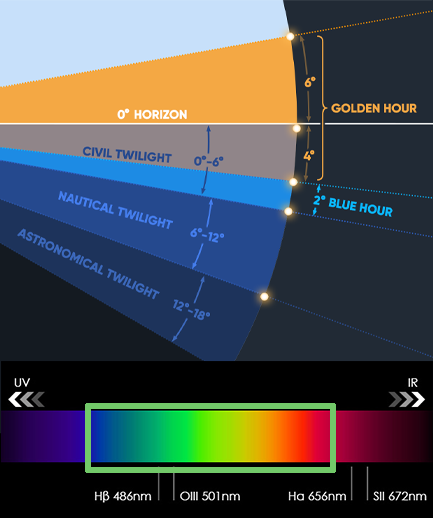
To help us take beautiful pictures, camera manufacturers place filters over the camera sensor to limit which wavelengths of light are recorded, to stay within the range that our human eyes can see.
Night sky photographers will ask for their camera to be modified in order to see outside of the human visible spectrum. Common camera “mods” include H-Alpha (adds light from hydrogen alpha which looks red) and infrared (which looks a bit like a negative).
Photos shot with an astro-modded camera look different and required additional post-processing to bring out those added colours. Don’t worry, you can still take normal photos after astro-modding by adjusting the colour-balance. The camera I chose to astro-mod is my Nikon D810. The large FX sensor and mostly manual setup made it a good choice for me. Plus, it is an older camera that I got a for a very good price.
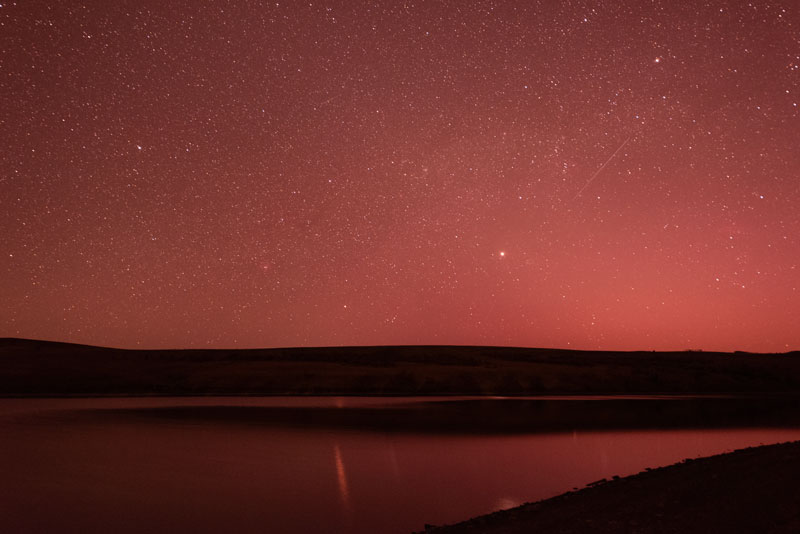
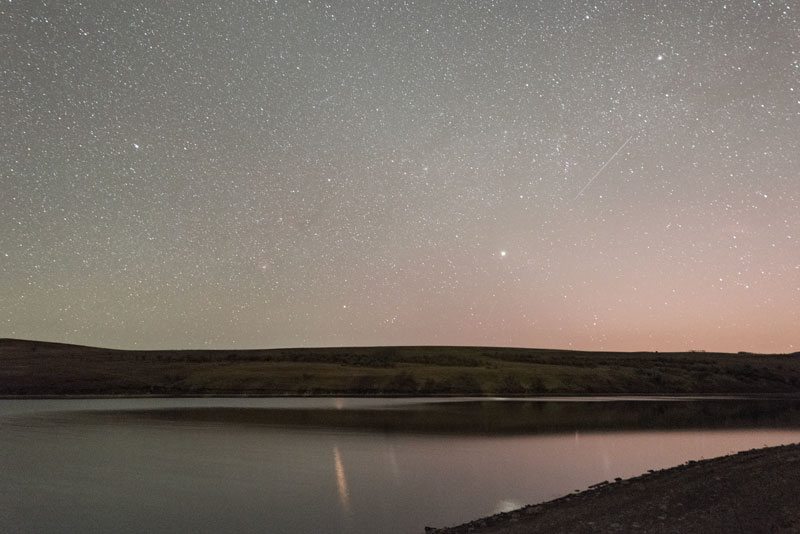
Astro-modding your camera is just the first step.
When capturing the night sky with all of it’s amazing colours, we need to capture additional frames to counter noise created my the camera itself. Otherwise, images can become very noisy/grainy. Considering we’re capturing stars and nebulae from millions of miles away, noise is not our friend.
Calibration Frames
For astro photography, we capture four types of images… Lights (the actual photos of night sky elements such as stars, nebulae, dust, etc), Flats (neutral light photos of a bright surface, like a white t-shirt or tablet screen, captured before packing up for the night), Darks (photos taken with the lens cap ON, at the end of night – corrects vignetting, dust donuts, etc), Bias frames (also lens cap ON, fast shutter speed, capture the camera’s electronic noise with , anytime).
These photos are all “stacked” in special image-editing software such as Siril or PixInsight, etc. Editing in these is advanced and complex…you’ll need to refer to your chosen software’s documentation for that information.
I’ve included basic Calibration Frame guidance on this page.
CALIBRATION FRAMES:
THE FIELD REFERENCE
- Lights
- Flats (before packing lens)
- Darks (end of night)
- Bias anytime
LIGHTS
The photos you take.
60-200+ frames
FLATS
Focus + zoom unchanged
Even bright surface (tablet screen, panel)
Histogram ~ 1/3–1/2
Use A mode or adjust to expose correctly
20–30 frames
DARKS
Same ISO / exposure / temp as lights
Shoot after session same environment
15–25 frames, Lens cap ON
BIAS (OPTIONAL, and can be reused)
Fastest shutter (1/8000)
Same ISO as lights
20 frames, Lens cap ON
COMMON MISTAKES
Changing focus before flats
Flats too bright (clipped histogram)
Darks at different temperature
Technical aspects of these images.
Shot in RAW format (NEF), images are edited and composited in Photoshop. Photos are captured atop a Star Tracker and a Sturdy Tripod.